

Dear Valued Clients,
To enhance transaction security control and ensure maximum protection for your account, KIS Vietnam Securities Corporation would like to remind you of the regulations and provide guidelines on updating your login password periodically or upon expiration. Please proactively change your password today to continue logging in and utilizing our services.
I. New Password Security Criteria
The new password for the iKIS app and the WTS system must meet the following criteria:
| Criteria | Detailed Regulation | Note |
|---|---|---|
| Length | From 8 to 16 characters (12+ characters recommended) | ✓ No spaces |
| Required Characters | At least 01 uppercase letter, 01 lowercase letter, 01 number, and 01 special character | Includes: @!#$%^&* |
| Security Level | Avoid easily guessed info (birthdate, phone number, full name, simple number sequences) | ✕ Avoid reusing old passwords |
II. Guide to Changing Password on WTS System
Step 1: Check upon login
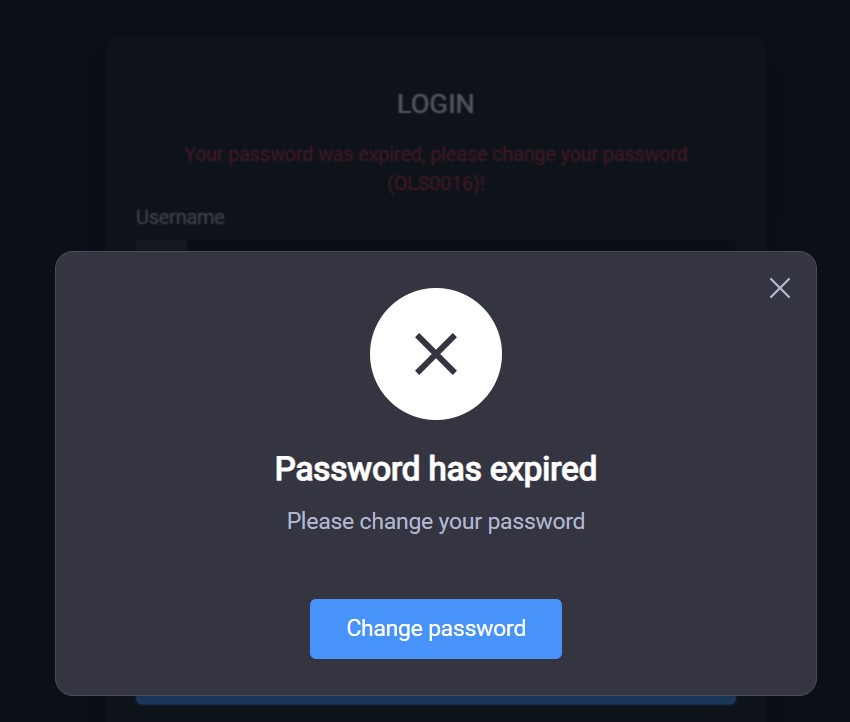
Log in to the system. The system will check the password status. If the password has expired, a notification will appear. Click “Change Password” to proceed. If the password has not expired, log in as normal.
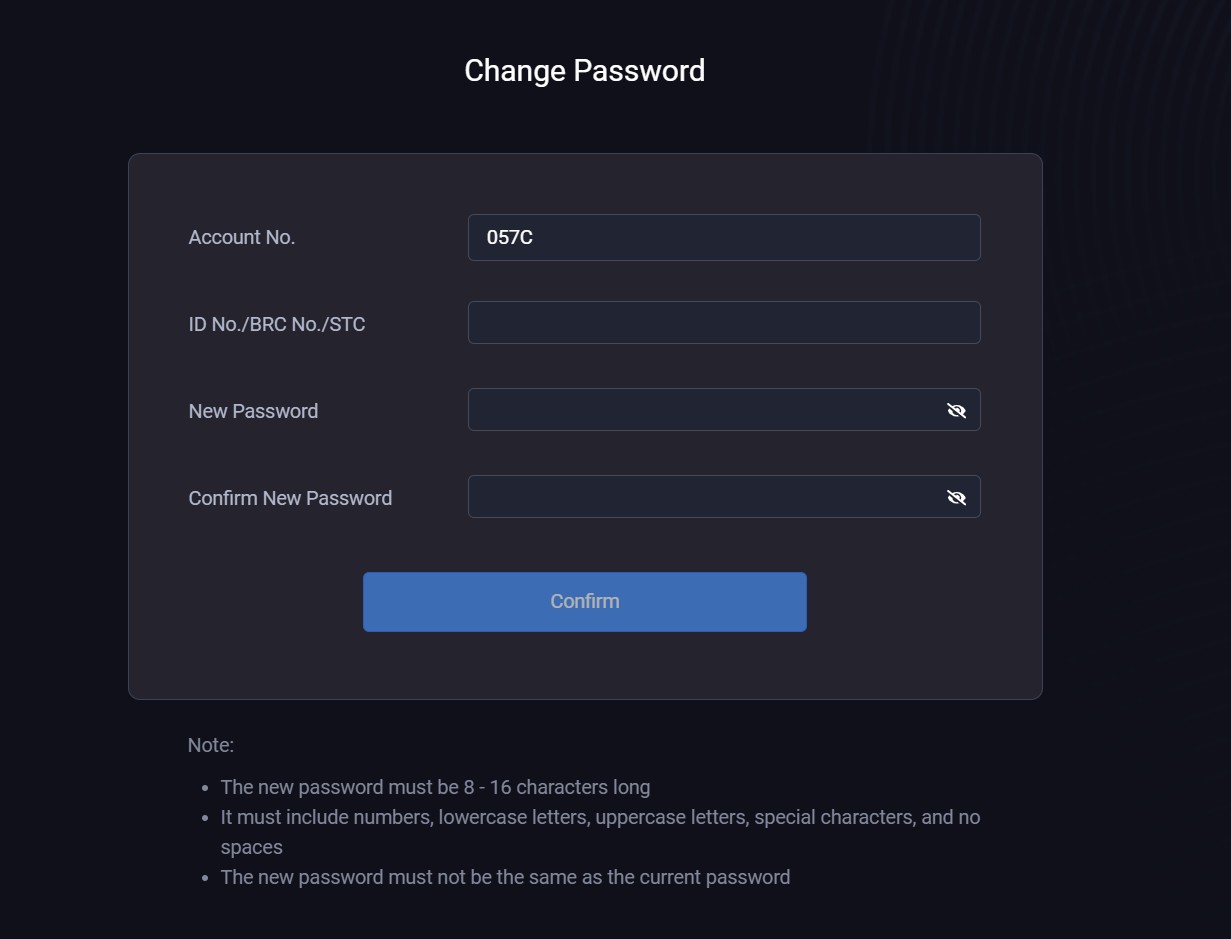
Step 2: Enter account information and new password
Fill in your Account No. and corresponding identification document:
- Domestic clients: Enter Citizen ID (CCCD).
- Foreign clients: Enter Trading Code.
- Institutional clients: Enter Business Registration No.
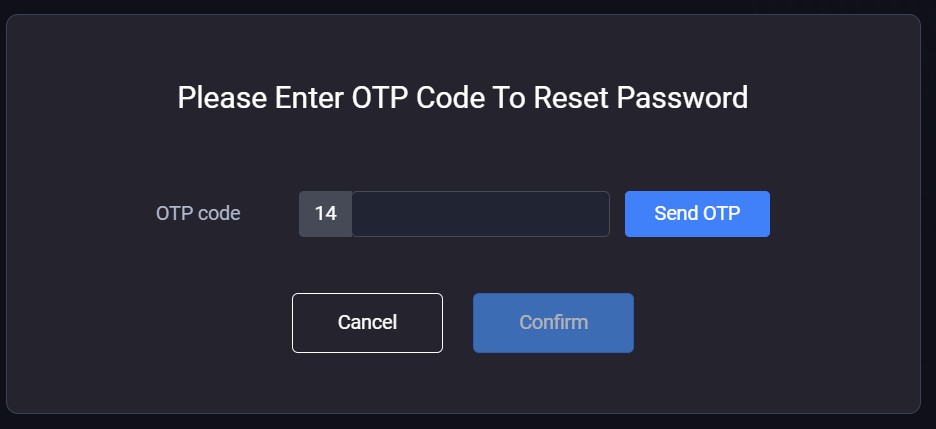
Step 3: Enter OTP code
Enter the OTP code sent to your registered mobile phone number to complete the password change.
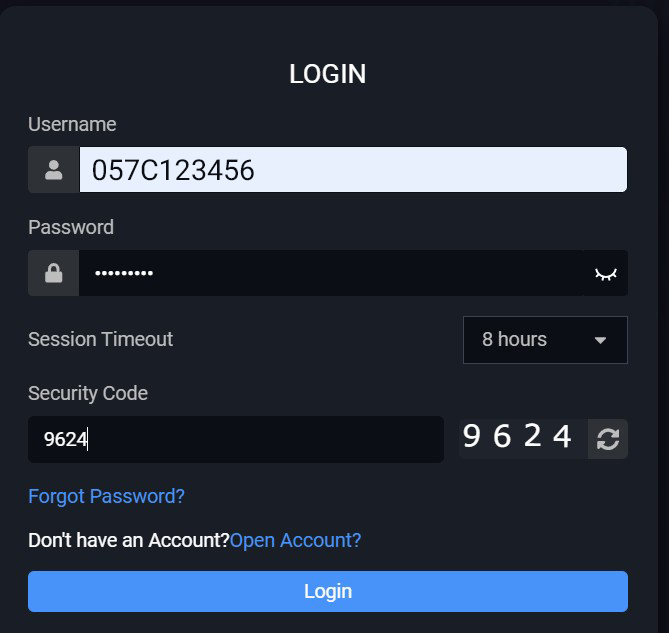
Step 4: Log in again
Return to the login screen and use your new password to access the WTS system as usual.
III. Guide to Changing Password on iKIS App
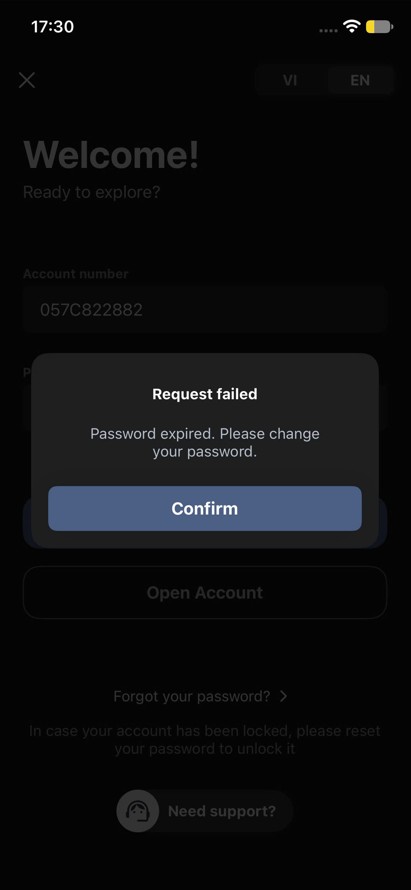
Step 1: Check upon login
Log in to the iKIS app. The system will check the password status. If the password has expired, a notification will appear. Click “Confirm” to proceed. If the password has not expired, log in as normal[cite: 1].
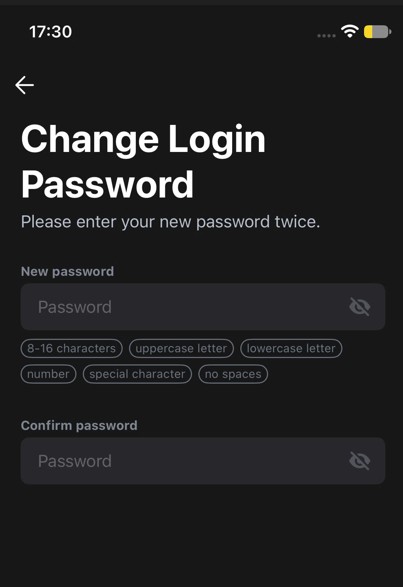
Step 2: Enter new password
Enter your new password twice according to the security criteria[cite: 1].
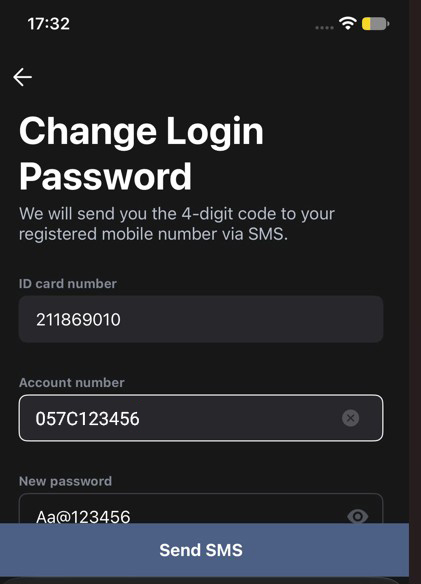
Step 3: Enter client verification information
Enter your Account number and identification document number (Citizen ID / Trading Code / Business Registration No.), then tap “Send SMS”[cite: 1].
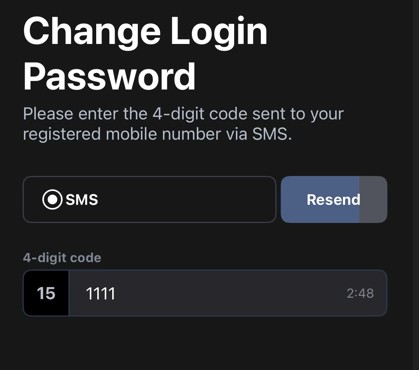
Step 4: Enter OTP code and complete
Enter the 4-digit verification code received via SMS to complete the password change. The system will notify you of success and return to the login screen[cite: 1].
Note:
To enhance account security, please proactively change your password today to continue logging in and utilizing our services.
Support Hotline: (028) 3914 8585