

| EKYC USER’S GUIDE FOR FOREIGN INVESTORS |
To open an account, please prepare:
- Original Passport valid that not blurred, torn, erased.
- A smart phone with internet connection and camera support.
STEPS TO OPEN ACCOUNT:
STEP 1: DOWNLOAD APPLICATION
Download KIS MTS application on App Store/Store Play.
- iOS: Download MTS
- Android: Download MTS
Press “Open account” on the login screen in KIS MTS.
Choose “Foreign Investor”
STEP 2: AUTHENTICATE YOUR PASSPORT
- Press on “Take photos” to start to authenticate your Passport.
- The screen will display the guide to take photos of document. After reading, customers press on “I Got It” to take photos.
- After that, the system will display the photo you have took. You can press on “Re-capture” to take photos again or press on “Next” to move to the next step.
STEP 3: FACE AUTHENTICATION
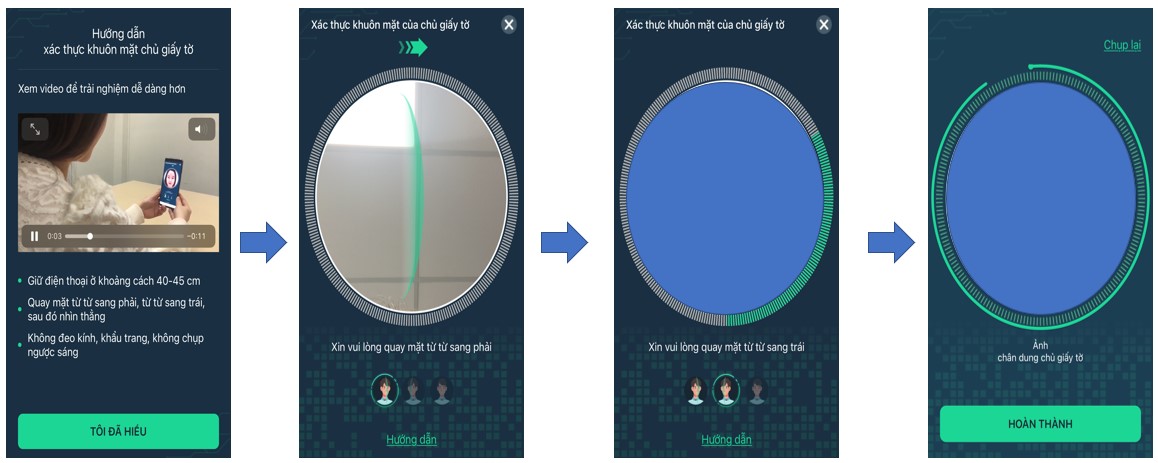
The system will display the instruction of face authentication process. After customers read the instruction, choose “Accept” to start scanning their face.
- Hold the phone 40-45cm from your face.
- Turn your face slowly to the right, slowly to the left, then look straight ahead.
- Do not wear glasses, face masks, or take photos in glaring environment.
STEP 4: CHECK PERSONAL INFORMATION
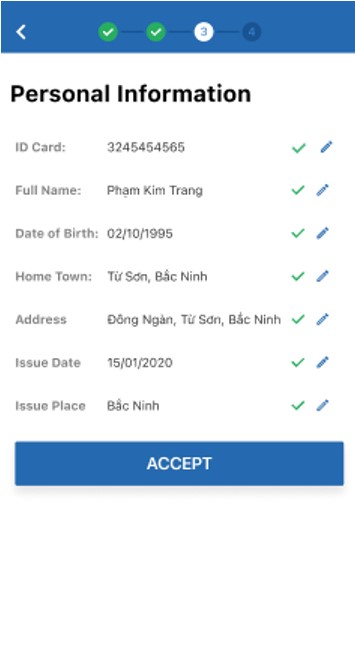
- After scanning your face, customers’ personal information will be displayed on above screen. Customers can recheck their personal information.
- In case of there is wrong information, customers can edit those information.
- Press on “Accept” to move to the next step.
STEP 5: CONFIRM TRADING CODE
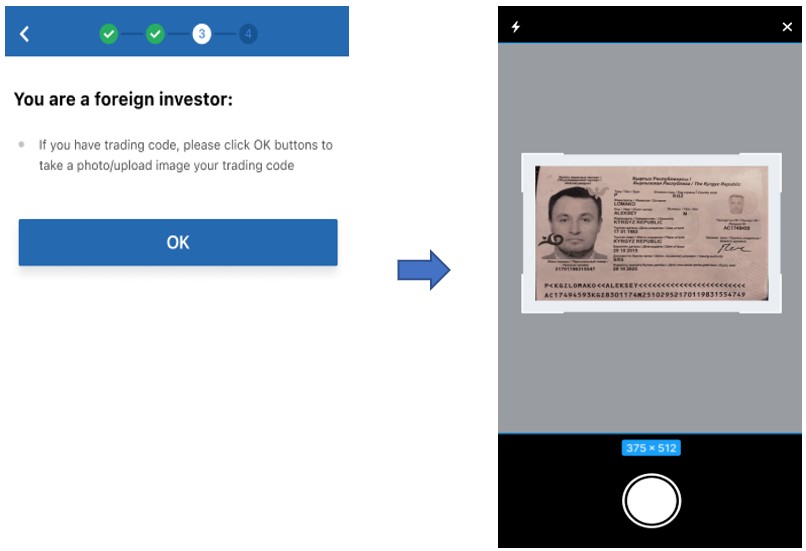
If customers are foreign investors, please take a photo/upload image their trading code to open securities account in Vietnamese market.
STEP 6: FILL IN OTHER PERSONAL INFORMATION
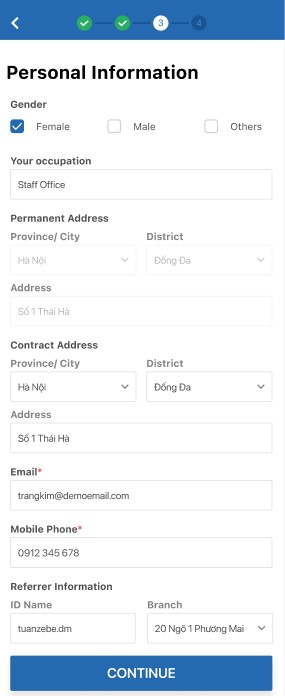
Customers enter other information on the screen, then choose “Continue” to move to the next step.
- Sex
- Occupation
- Permanent address: Auto filled from ID Card/Citizen Card
- Contact address
- Email (compulsory)
- Mobile phone (compulsory)
- Referrer Information
STEP 7: REGISTER SERVICE INFORMATION
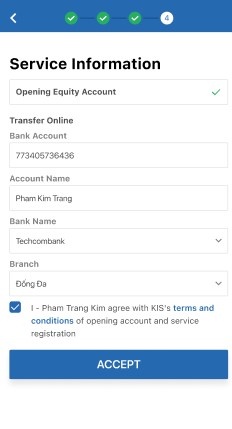
When open account online, KIS will open an equity account for customer by default. In addition, customers have to enter bank account information to do cash transfer from securities account to bank account.
STEP 8: UPLOAD SIGNATURE AND CONFIRM OTP
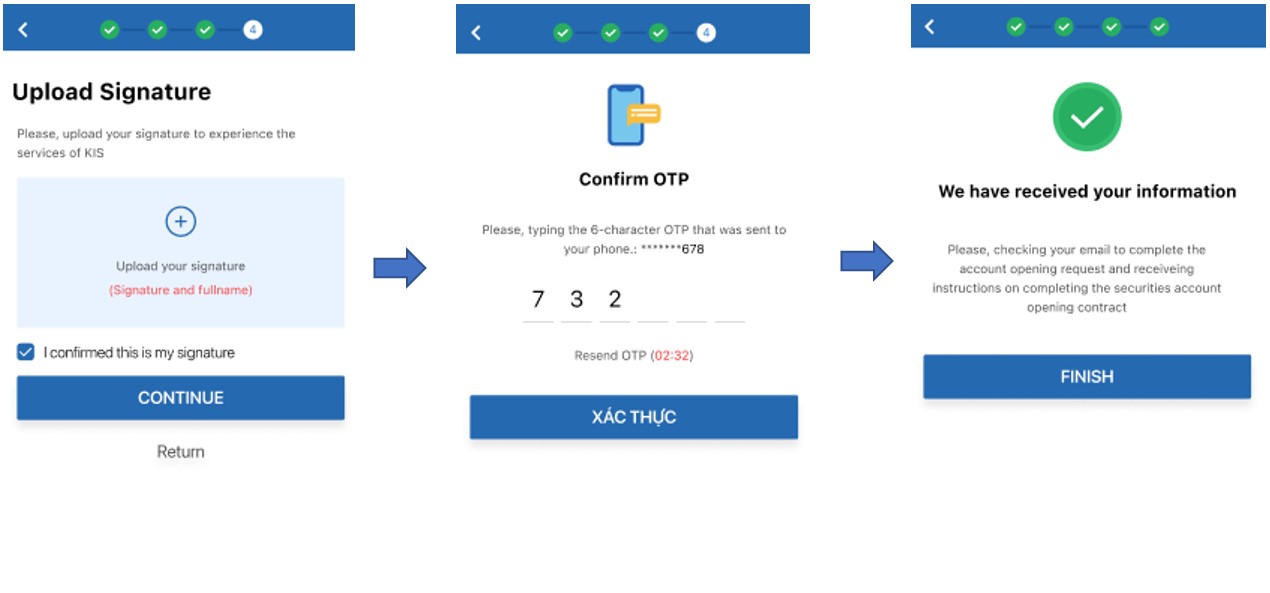
- After filling all the information, customers have to take photo and upload their signature.
- Then, customers enter the OTP received on your mobile phone to authenticate. In case of customers do not receive OTP, press on “Resend OTP” to request the system resend OTP.
- After authenticate OTP successfully, the request of opening account will be sent to system. Customers check your email to complete the account opening request and receive account number, login password, order password that KIS send to your email.